
This guide distinguishes facts visible in Wantho’s published screenshots and release pages from suggested ways to practice. It does not claim a secret route, fixed item location, or unverified control binding. Screenshots come from the creator’s GameBanana mod page; videos belong to their uploaders.
Quick start: get into a run
Open the game window on the homepage and press Load Game. The game is hosted on a separate domain, so loading may take longer than the page around it. Once the game has appeared, click inside the frame before using the keyboard or mouse. If you see an empty frame, use Open Directly under the game; it points to the same browser build. If you prefer the creator’s original files, use Wantho’s Windows release.
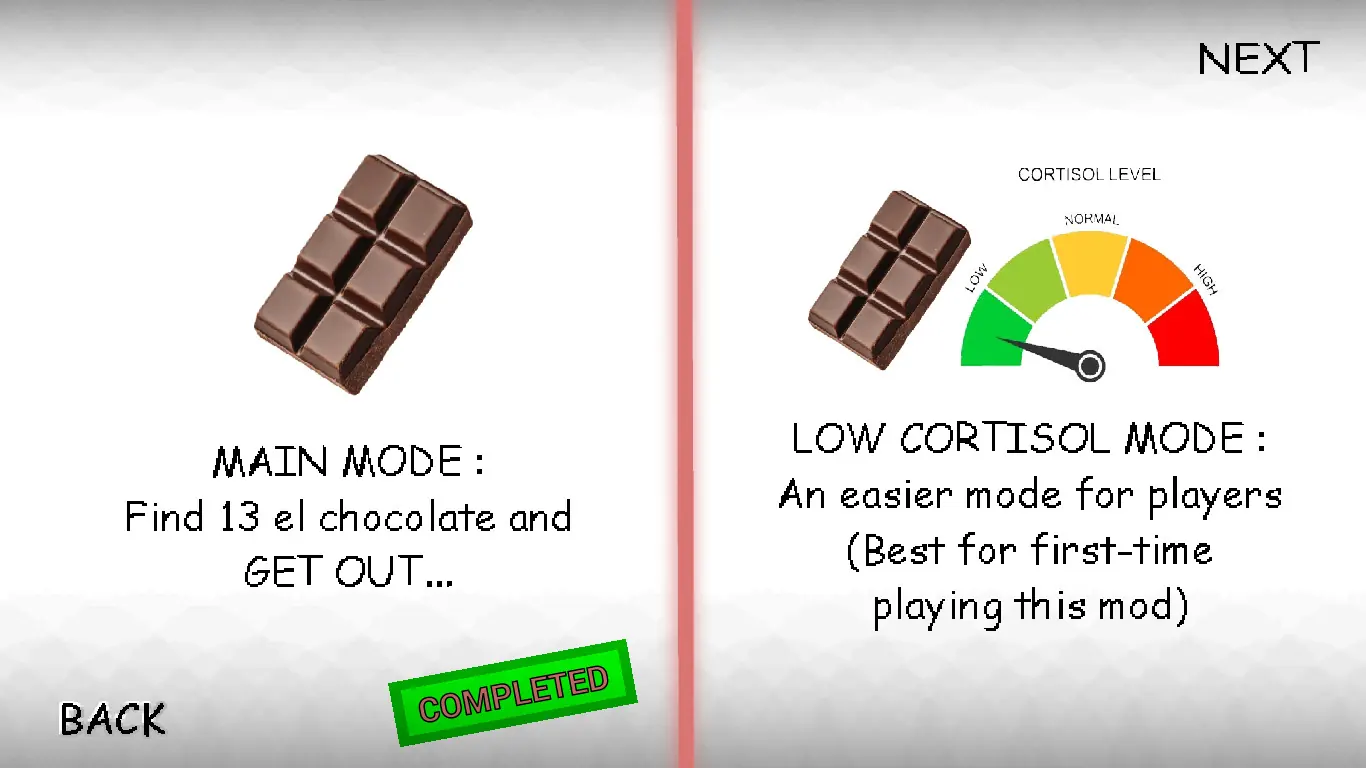
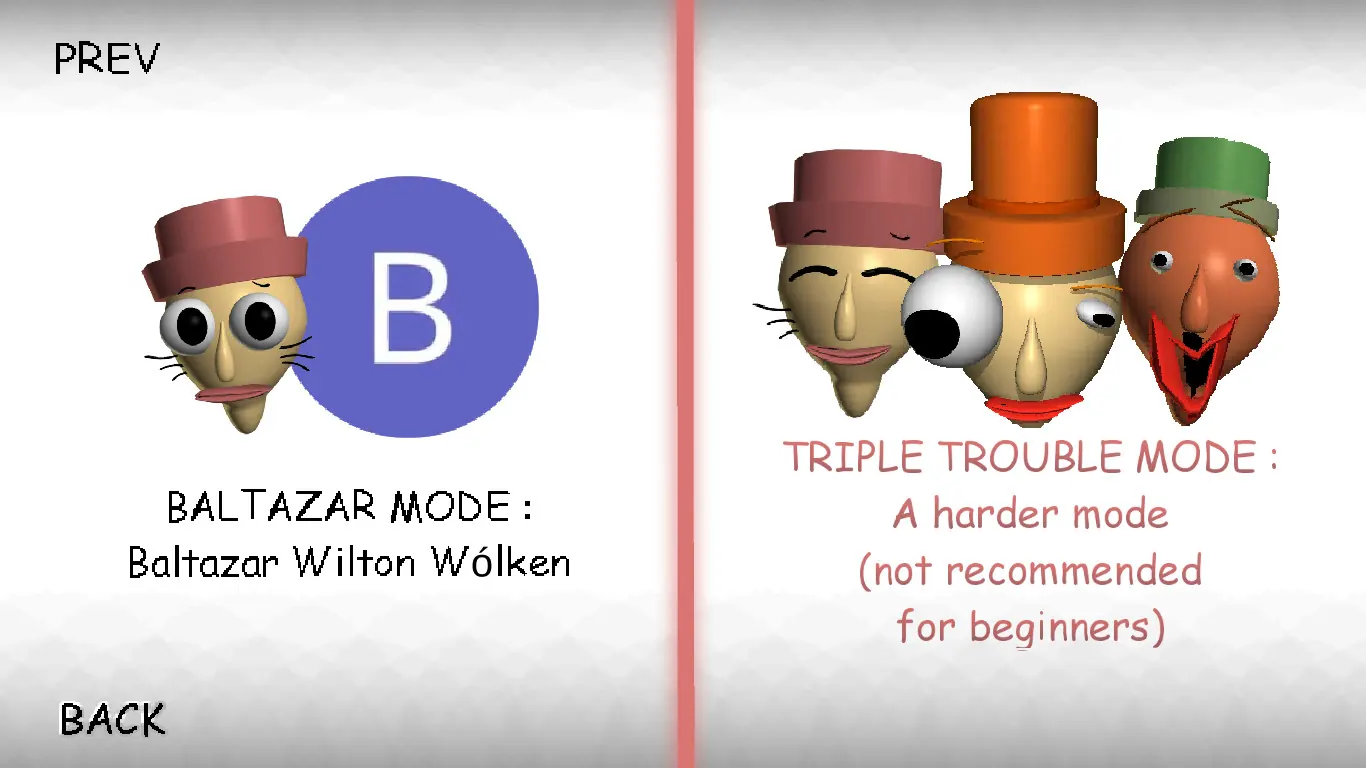
At the mode menu, choose Low Cortisol Mode for a first attempt. The creator-published menu expressly calls it an easier mode and recommends it to first-time players. If you want the standard objective immediately, Main Mode says to find 13 chocolates and get out. You can return for Baltazar Mode and Triple Trouble after you understand the hallways, item display, and stamina meter. Triple Trouble’s own menu labels it harder and not recommended for beginners.
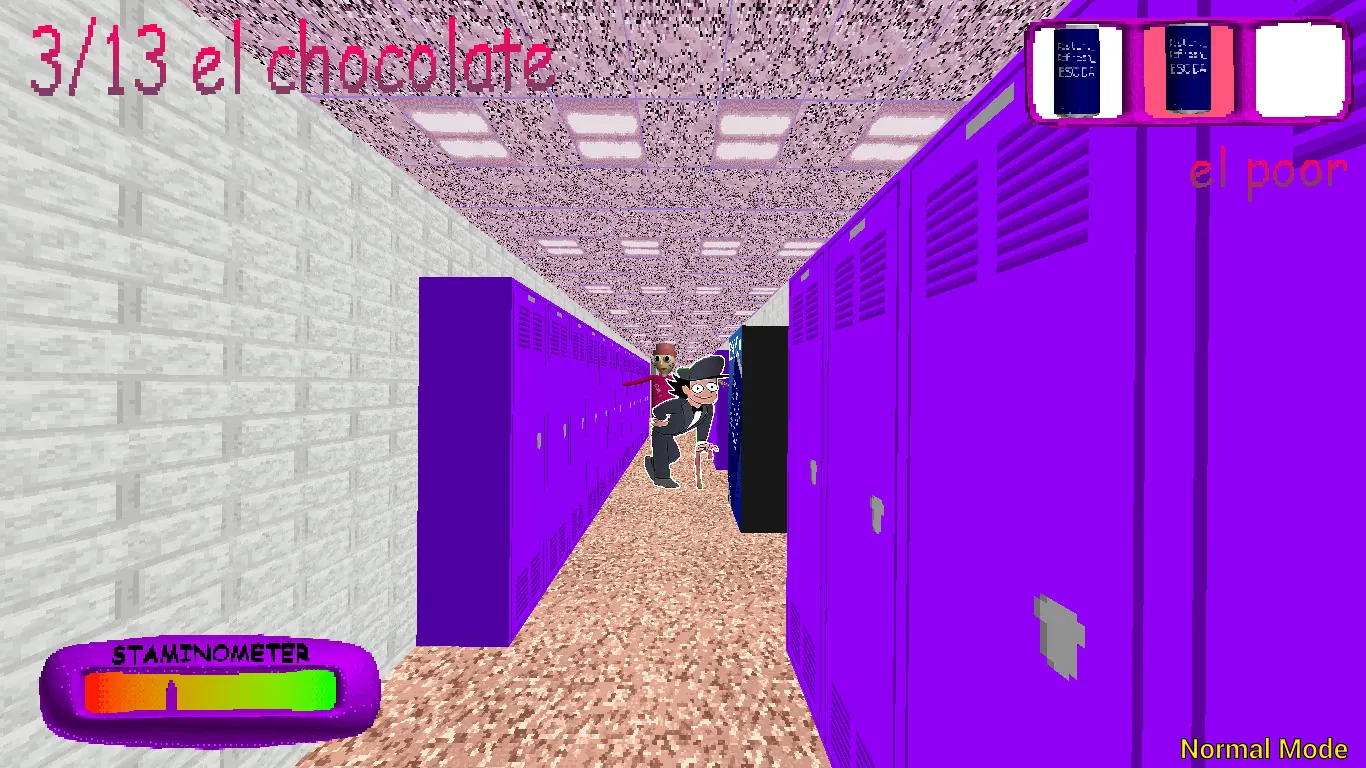
Do one short orientation lap before you try to win. Watch the top-left chocolate count, the item slots at the top right, and the stamina meter near the bottom. Those are visible in the original screenshots and give you a way to judge progress without pretending that every doorway or item spawn is fixed. As you move, note a recognizable junction, a door, and an open stretch of corridor. If something goes wrong, those landmarks help you understand where you lost time.
Start in Low Cortisol Mode, learn how the game reads your movement, then try Main Mode’s 13-chocolate objective. Save Triple Trouble until the school feels familiar.
What the original release establishes
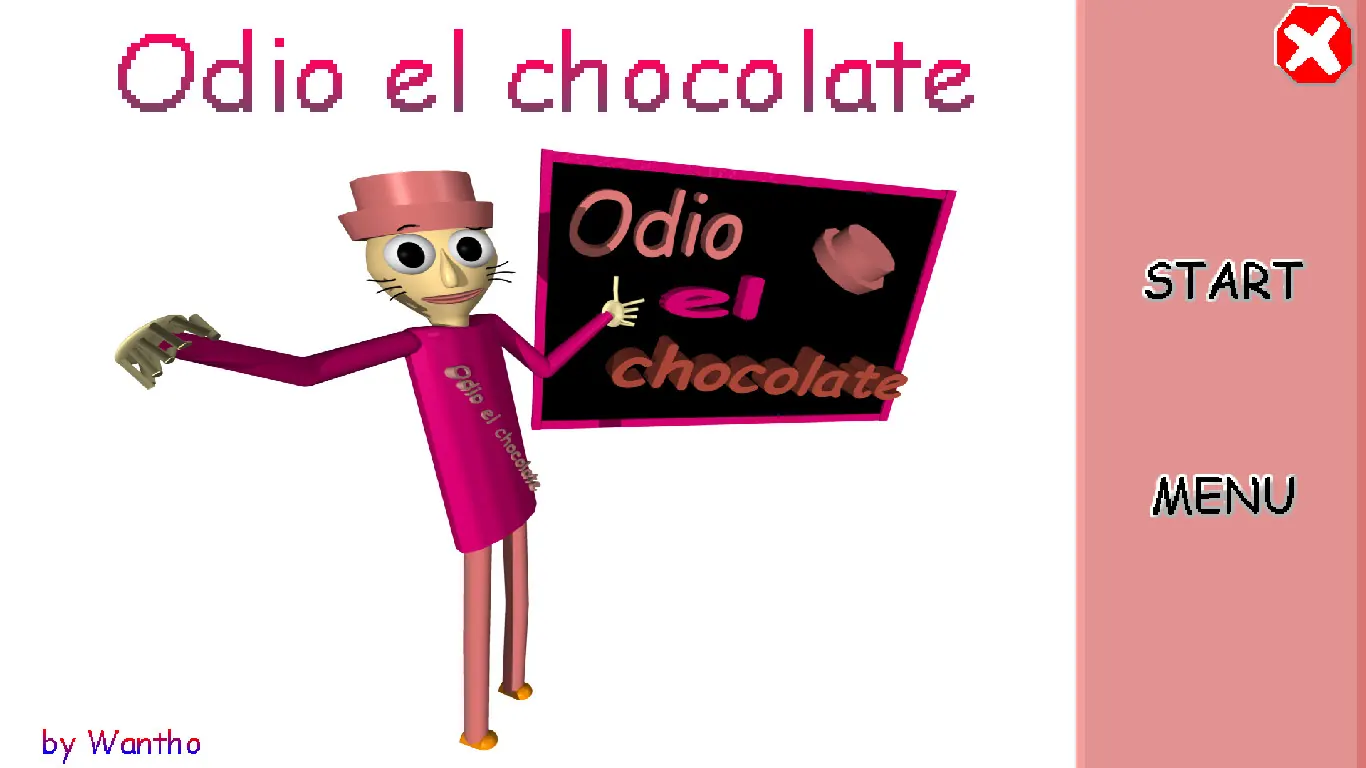
Odio el Chocolate is Wantho’s Baldi’s Basics mod. The original listing identifies a Windows download; a separate creator page lists Android packages. GameBanana calls the PC upload version 1.0 and displays the creator’s image gallery. Wantho describes the release as a birthday project. The public information gives the identity of the game and its platforms, but it does not provide a full official walkthrough.
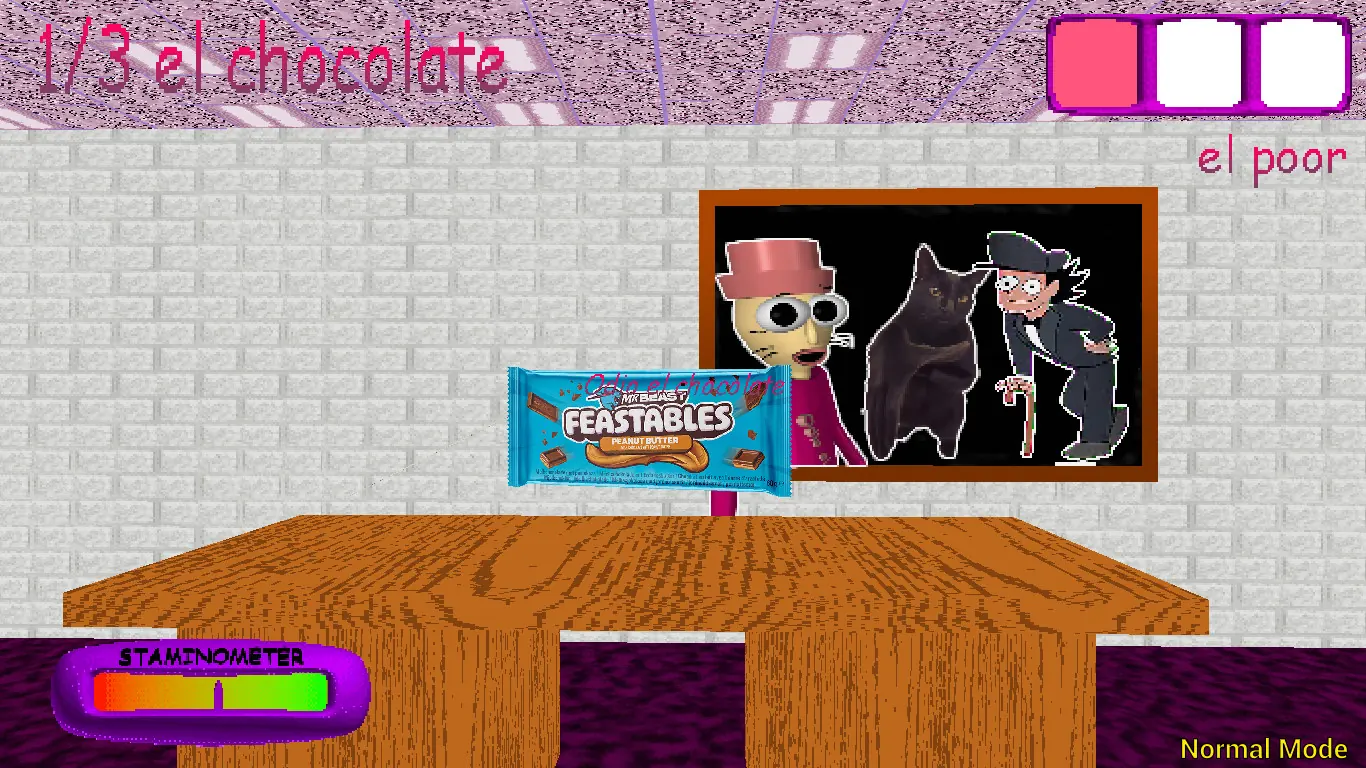
The mode menu provides the strongest direct gameplay evidence. The first page says Main Mode asks you to find 13 chocolates and get out. It calls Low Cortisol Mode easier and explicitly recommends it for a first-time player. The second page names Baltazar Wilton Wólken and calls Triple Trouble a harder mode unsuitable for beginners. Screenshots show a count written like “3/13 el chocolate,” a colored stamina meter, three item slots, and mode labels. These are observations from still images, not a guarantee that each mode uses the same objective or spawns.
A chaptered video by BPG shows all four named modes. It is a useful visual reference when you want to see what the menu names correspond to in motion. Wantho’s own video is a direct look from the creator. Neither video should be mistaken for an official written ruleset. When this guide suggests a practice routine or route-reading method, it marks that as advice, not as a claim about hidden mechanics.
The four modes, one by one
Main Mode: the stated objective
The Main Mode card is unusually clear: find 13 chocolates and get out. That sentence gives you two phases to keep separate. First, build the visible count. Second, leave successfully. The screenshot of a run at 3/13 shows that the counter is not merely decorative. It gives immediate feedback about how much of the collection objective remains. At 13/13, resist the temptation to continue collecting blindly; the menu tells you that escape is part of the goal too. The publicly available screenshots do not establish a universal exit route, so treat the last phase as navigation rather than as a fixed instruction from this guide.
For a first Main Mode attempt, choose a small memory system. Call the first corridor “start,” name each major branch by one visual cue, and remember where you last saw a chocolate. A quick mental note is enough. You do not need to map the entire building before moving, but a repeated loop through the same rooms wastes stamina and leaves you uncertain whether you have checked an area. When the count rises, recognize what changed: you reached a new space, found a new item, or took a route you had not tried. Build on that observation.
Low Cortisol Mode: learn the school
The mode selection describes Low Cortisol as easier and best for a first-time player. That makes it a training ground, even if your long-term aim is to beat the standard mode. Use it to learn the feel of movement, the timing of doorways, how the HUD presents information, and how quickly stamina changes. A successful practice run is one in which you can explain what you saw and where you went. Reaching the end is valuable, but learning the layout can still make a failed run productive.
Try one deliberate experiment at a time. In one attempt, focus on how long you can move before stamina becomes uncomfortable. In another, pay attention to whether opening a door creates a safe turn or a bad angle. In another, use the chocolate count as a checkpoint for route quality. The reason to isolate a question is simple: if you change your path, pace, and item use all at once, a better result will not tell you which choice helped.
Baltazar Mode: learn a named variation
The second selection page names Baltazar Wilton Wólken. Screenshots also show a large “B” visual cue and a Baltazar-labeled game scene. That is enough to say it is a distinct mode with its own presentation. It is not enough to assert a new objective, a fixed map change, or a special rule without seeing the mode in action. Go in after you know the basic school route and compare what actually changes in the HUD, the visible characters, and the pressure of a chase.
A useful first Baltazar run can be observational. Do not force a speedrun. Start by asking whether the same route through a familiar junction still works. Then watch for different visual cues or threats. If you finish, note which differences mattered. If you fail, note the earliest decision that became unsafe. That gives you something more practical than a vague verdict that the mode is simply harder or stranger.
Triple Trouble: enter with a plan
The menu explicitly calls Triple Trouble harder and says it is not recommended for beginners. The published image shows three prominent faces, and the video chapters give this mode its own chase and ending segment. The right response is to bring what you learned in the earlier modes: a usable route memory, a habit of checking your HUD, and enough patience to restart with one specific correction.
Do not infer exact enemy behavior from a cover image. On your first attempt, use the beginning to observe how the mode announces danger. At the first major junction, make a clean decision instead of hesitating in open space. If you are caught, identify what information you missed: a sound, a visible character, a blocked way, low stamina, or a mistaken turn. Those categories help you improve without inventing mechanics the source material does not prove.
Use the HUD as your field notes
Several creator screenshots show a count in the upper left, three rectangular slots in the upper right, and a brightly colored stamina meter at the bottom. The count is the clearest objective marker. If it changes from 3/13 to 4/13, the run has progressed. If you are lost, checking the number tells you whether the last corridor produced a real gain or merely returned you to familiar ground. Do not stare at the counter while moving; look at it during a turn or another moment when your path is clear.
The item slots deserve a glance before entering a long corridor or a crowded space. A screenshot can show that an item is present, but it cannot reliably explain all item effects or controls. Learn from the in-game prompts and test one item in a low-pressure moment before relying on it in a chase. If a slot changes after an action, connect the change to what you did. That small habit is more reliable than assuming an item works like one from an unmodified Baldi game.
The stamina meter is a pacing tool. Creator screenshots show it in a purple frame with a colored bar. You can use the visual change to avoid spending every stretch of speed before you know where the next turn is. Preserve room to react when the route opens into a long line of sight. When the meter looks low, a controlled turn and a brief assessment are more useful than pressing forward without knowing what is ahead. The exact recovery rate is not established by the still images, so learn it by watching a live run.
A practical three-glance loop
Before you commit to a route, check three things: the path in front of you, the count, and your movement reserve. That order matters. The environment tells you whether you can safely keep moving; the counter tells you whether your recent path was productive; the stamina meter tells you whether you can afford another long straightaway. The item display comes next if you expect to use something. With repetition, this loop becomes quick enough to use without stopping every few steps.
Use the same loop after a mistake. If a chase or blocked path surprises you, do not just restart and copy the same opening. On the next attempt, look for the earlier point where one of those signals was available. A guide can explain what to watch, but only the current build can tell you whether a particular door is open, whether a resource is available, or how a threat behaves in that moment.
A spoiler-light first-run plan
Begin by deciding what the run is for. A first run can be an orientation run, an objective run, or a mode comparison. Trying to do all three can make every wrong turn feel like a failure. For orientation, take Low Cortisol Mode and learn the visual language of the school. For an objective run, choose Main Mode and use the 13-chocolate count to judge progress. For comparison, play one familiar mode and then try another while the route is still fresh.
At the start, notice the direction of your first exit and one landmark that you could recognize from the opposite side. A colored locker bank, a large door, or a distinct room can do this job. Do not rely only on left and right; after several turns those labels lose meaning. When you collect something, remember the nearest landmark and the route you used to reach it. When a corridor becomes dangerous, note the safe side you could have taken sooner.
After the first few chocolates, evaluate whether your exploration pattern is still making progress. If the count stays still across several familiar hallways, change one decision at the next junction rather than abandoning all your route knowledge. This is a small but useful distinction: a bad local choice does not mean your entire plan was wrong. It may mean one branch remains unexplored.
As the counter approaches the objective, leave yourself enough attention for escape. The menu’s “get out” instruction matters. Even a complete collection does not make direction, stamina, or threats irrelevant. Once you know the area around the last chocolate, pause mentally to identify the most promising way back. If the current build presents an exit cue, follow that cue; this guide does not claim an unverified exit location.
After a failed run
Write down one sentence: “I was at ___, I had ___ chocolates, and I lost the run because ___.” If you do not know the cause, write “unknown” and make the next attempt an observation run. Keep the correction small. Start the same way until the decision point you want to test, then change only that choice. This prevents a random successful attempt from becoming impossible to repeat.
There is no reason to copy a stranger’s route if your version or build behaves differently. Videos are most useful for teaching you what a mode looks like and how an experienced player reads the situation. Use a video chapter to resolve a specific question, then return to your own game. That preserves discovery and limits spoilers.
Visual atlas: what each image can tell you
The ten images in this atlas come from Wantho’s original GameBanana gallery. They are real promotional or in-game captures, converted to WebP for the page. They show menu wording and visible screen elements. A still image cannot prove enemy timing, item effects, or a route’s reliability. Use the captions as observation aids, then verify the details in the build you are playing.
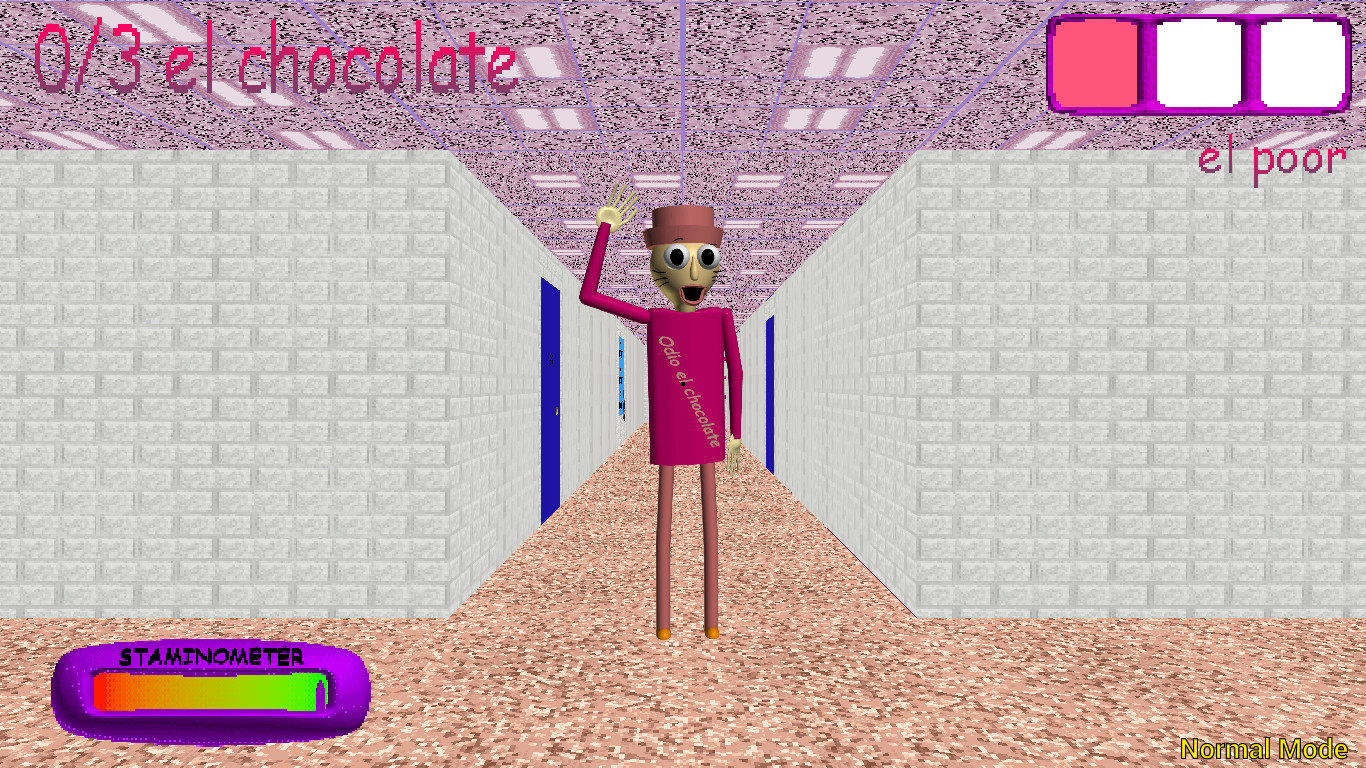
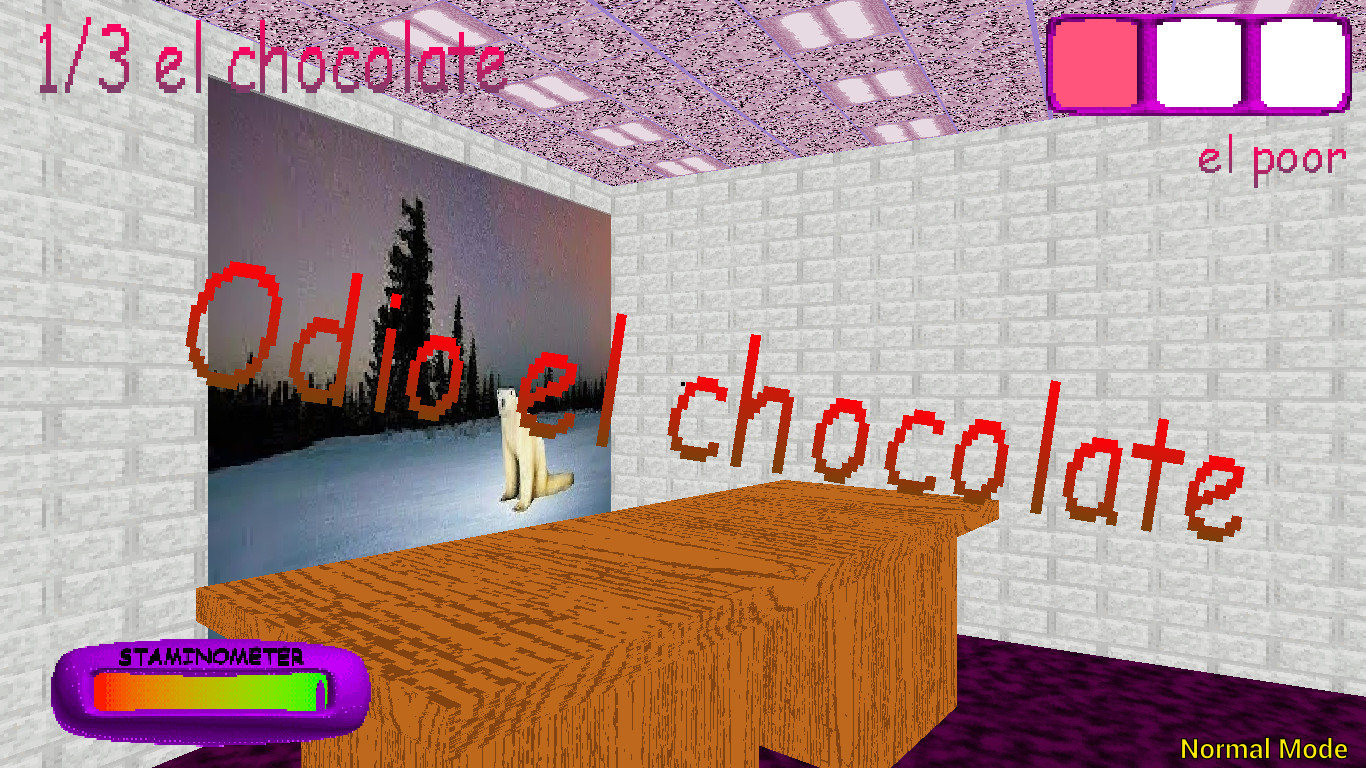
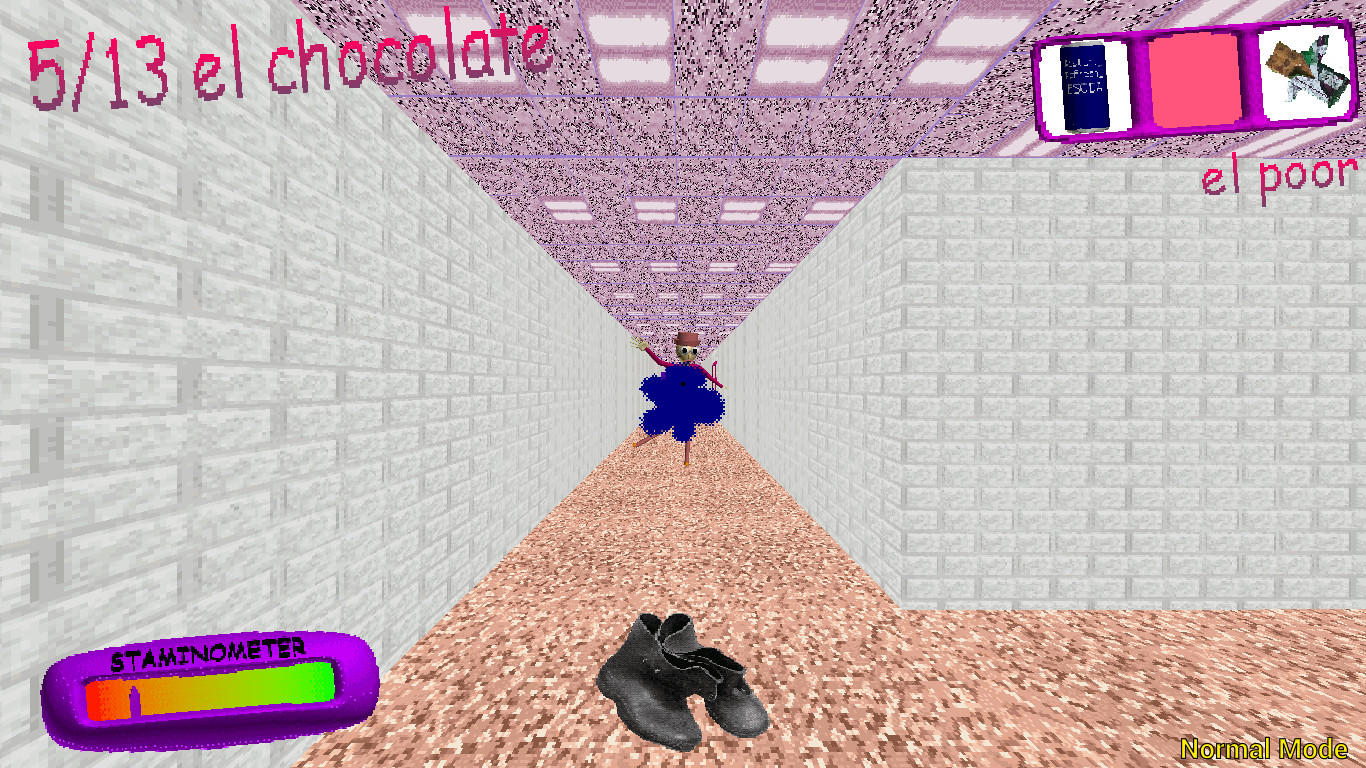
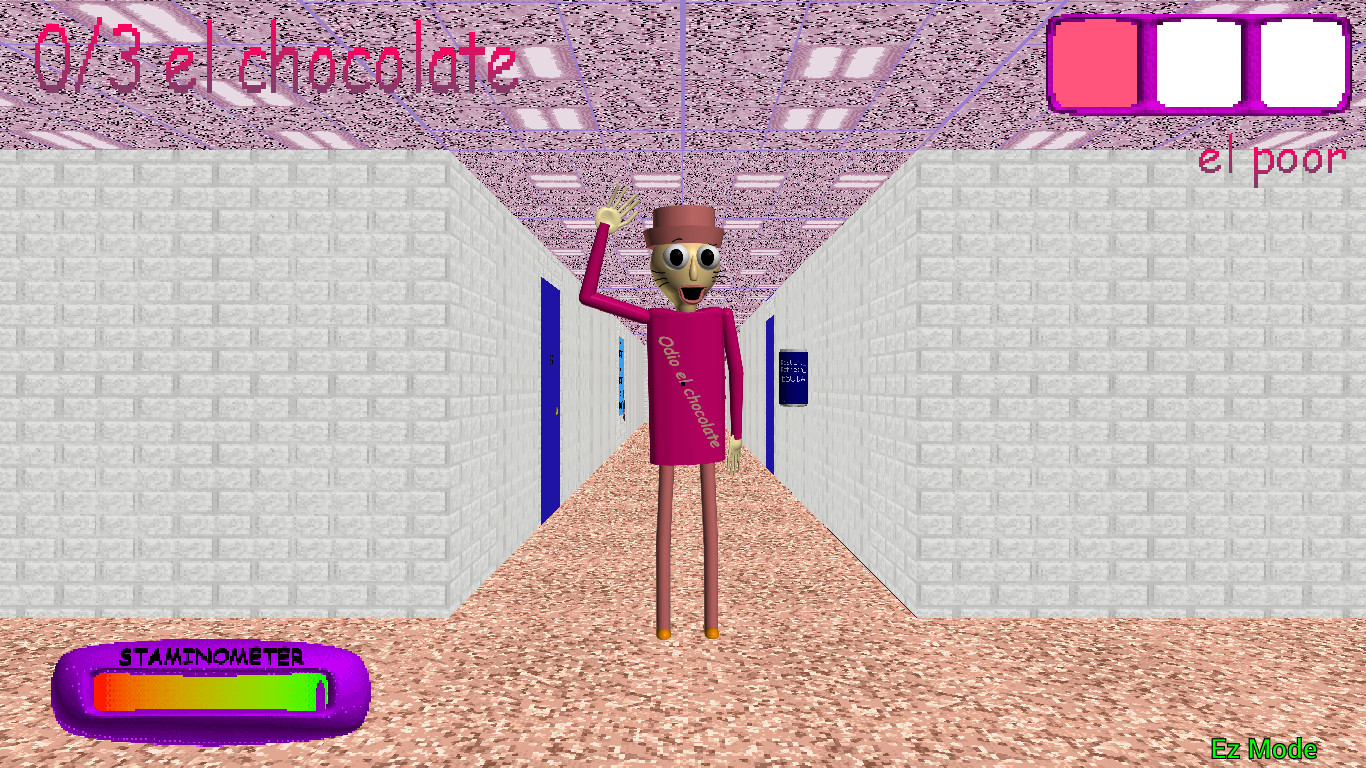
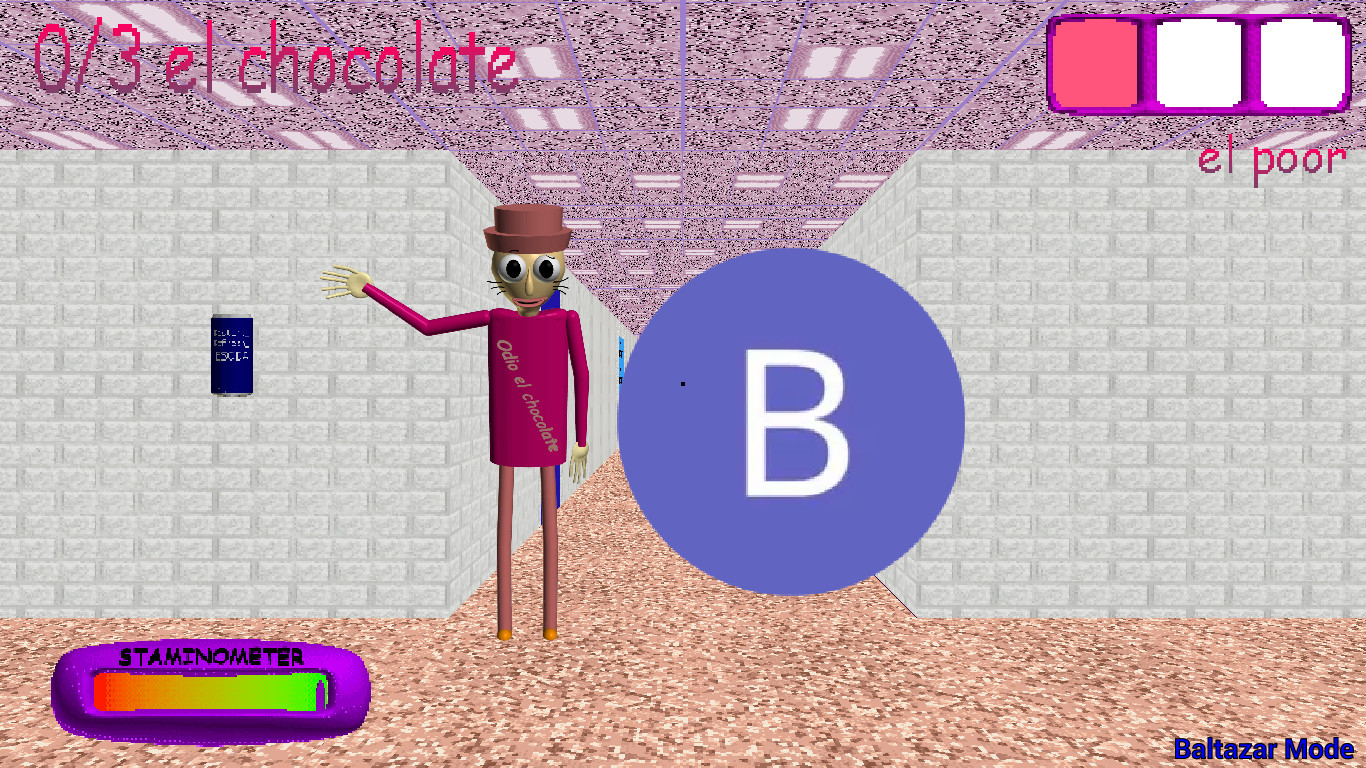
The homepage gallery adds six more original captures, including both mode selection pages and a Triple Trouble scene. Go to Screenshots for those full-size links.
Browser, Windows and Android
If the embedded game does not appear
First allow time for the external game to start. The homepage deliberately waits for a click before loading it, so a visitor who has not pressed Load Game has not started a download. After clicking, the frame can remain dark while the game initializes. If it never progresses, use Open Directly. That opens the same address outside the iframe and helps distinguish a frame restriction from a general game-host problem. Refreshing repeatedly during a large load may start the process over.
If the game appears but ignores input, click once inside the frame. Keyboard events often stay with the surrounding page until the embedded window has focus. If a key scrolls the page, that is another clue that the page rather than the game has focus. Use the fullscreen button if the frame is too small, and leave fullscreen with Escape. Exact keyboard bindings should be checked inside the build rather than inferred from another Baldi mod.
If you want the original Windows release
The creator’s itch.io page lists a Windows ZIP. Use that page to get the current file and any updates. The browser build embedded here is hosted separately and should not be treated as a guarantee that every original release feature is present. If you compare builds, write down the version or source before reporting a difference.
If you are playing on Android
Wantho’s Android page lists both 32-bit and 64-bit packages and warns that the game may lag or crash on some devices. The creator specifically reports a crash in the School House scene on an OPPO A18. That is a documented warning, not a judgment about every phone. Download only the file appropriate for your device from the creator’s page, and check that page for the latest compatibility notes. A browser iframe on a phone is a separate experience from the Android app.
When reporting a problem, include the device, browser or OS, whether you used the iframe or direct build, what you pressed, and the exact point where loading or play stopped. That is more useful than “it does not work.”
Two videos and useful chapters
For a first visual impression, use Wantho’s own gameplay upload. It is the clearest creator-linked video we found for this mod. For mode comparison, BPG’s chaptered four-mode video separates Main, Low Cortisol, Baltazar and Triple Trouble. The uploader’s chapter markers place Main Mode at 0:29, Low Cortisol at 4:04, Baltazar at 7:13 and Triple Trouble at 10:45. Those timestamps are navigation aids, not universal game timing.
If you want to avoid spoilers, watch only the opening of a mode to see the menu and its first moments. The videos include chase and ending chapters. If you are stuck, jump to the corresponding mode and compare one problem area. Ask a narrow question, such as “What does the item display look like here?” or “Where does the player turn at this hallway?” Then return to your own run. Watching an entire route can make the next attempt less surprising, but it can also hide the decision-making you need when conditions differ.
Questions players actually need answered
What should I play first?
Low Cortisol Mode. The creator-published menu describes it as easier and best for a first-time player. Main Mode is the next clear goal because it explicitly asks for 13 chocolates and an exit.
How many chocolates are in Main Mode?
The mode selection says 13. In-game screenshots show a count with a denominator of 13. This guide does not claim that every other mode shares exactly the same collection rule.
What is Triple Trouble?
It is the fourth choice on the creator’s mode selection. The menu calls it harder and warns beginners. The gallery shows three prominent characters, but it does not establish every rule they follow.
Who or what is Baltazar?
The second mode page names Baltazar Wilton Wólken. The gallery shows a separate Baltazar-labeled scene. Use that mode after you are comfortable with the base game, and observe its differences directly.
Where can I download the original game?
Use Wantho’s Windows listing. The Android listing is separate.
Does the browser build equal the Windows version?
It is an independently hosted browser build supplied for this website. Its behavior can differ from the creator’s downloadable files. Check the original pages for official release details.
Why is my keyboard moving the page rather than the game?
The iframe likely does not have focus. Click inside the game window and retry. If the frame is blank, use Open Directly.
Does the Android version run on every phone?
No guarantee is given. Wantho warns that severe lag or crashes can occur on some devices and describes a crash on an OPPO A18. Read the creator’s current Android page before installing.
Can I trust a route shown in a video?
A video proves what happened in that recorded run. It may not prove a fixed spawn, a universal route, or identical behavior across builds. Use it to learn visual cues and decisions, then test them in your version.
Is this the official website?
No. This independent guide links to Wantho’s creator pages and credits the original gallery and video uploaders.
Sources and careful claims
- Wantho’s original Windows release — creator, platform and release description.
- Wantho’s Android release — packages and device-performance warning.
- Wantho’s GameBanana mod page — version, credits, mode menu and the ten gallery images used here.
- Wantho’s gameplay video — creator-linked moving reference.
- BPG’s four-mode video — chaptered community walkthrough and timestamps.
Strategy paragraphs above are suggestions based on visible objectives and ordinary route-reading habits. They do not assert a verified secret, an exact enemy algorithm, or fixed item positions. The creator’s pages remain the source for updates.